> ## Documentation Index
> Fetch the complete documentation index at: https://documentation.rebase.energy/llms.txt
> Use this file to discover all available pages before exploring further.
# Installation
> Installing the Python toolkit
The Python toolkit is distributed through [PyPI](https://pypi.org/). If you are using
a Python version downloaded from [python.org](https://www.python.org/), then you should
already have `pip` package manager installed. Install the toolkit by running:
```
pip install rebase-toolkit
```
To authenticate through the toolkit you need to first retrieve your API key from the
Rebase Platform UI. In the top write, click the profile icon. Then click `Account` and
choose `API` in the navigation bar to the left.
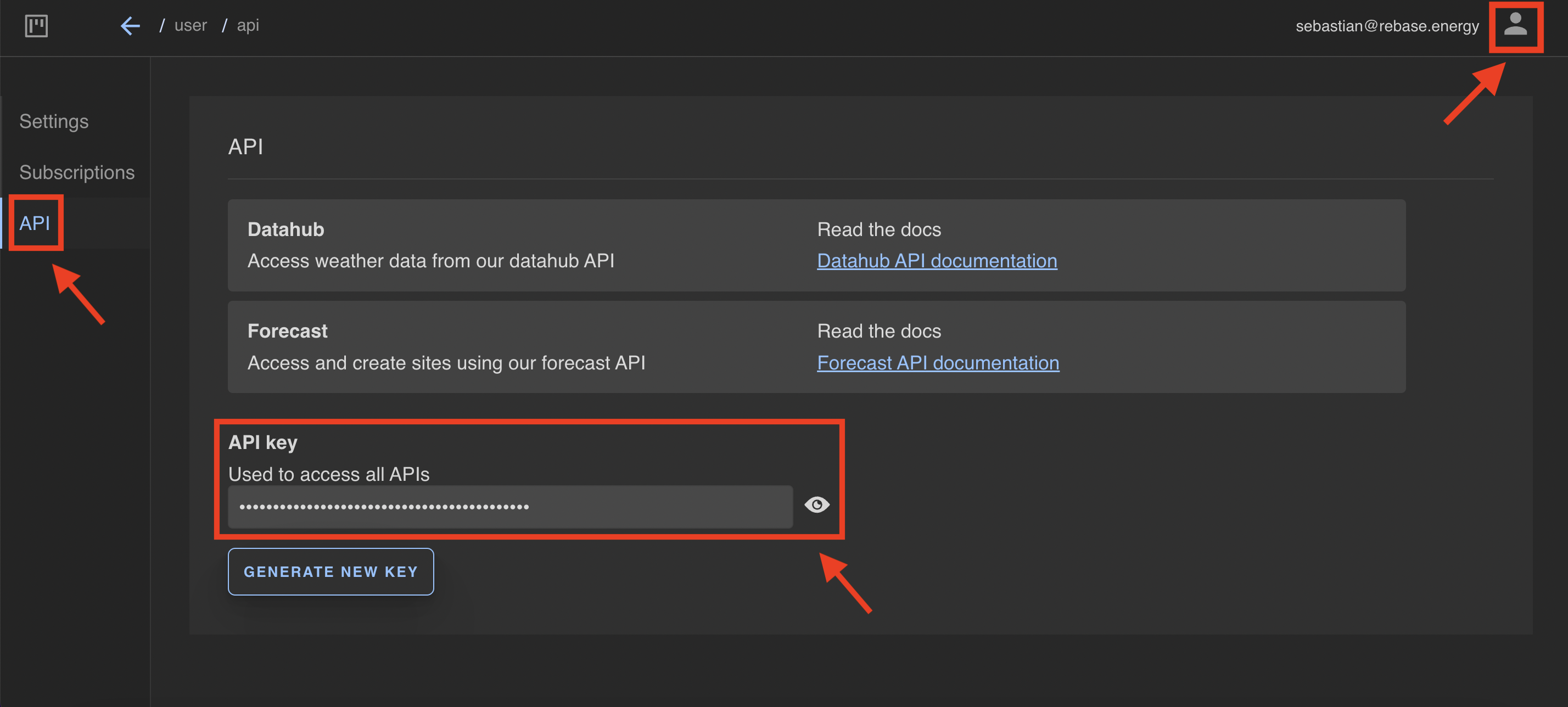 Then copy your API key and input it in the toolkit `authentication` method as shown below.
```python
import rebase as rb
API_Key = "Your API Key Here"
rb.authenticate(API_Key)
```
Then copy your API key and input it in the toolkit `authentication` method as shown below.
```python
import rebase as rb
API_Key = "Your API Key Here"
rb.authenticate(API_Key)
```